Shake a window. Whoosh.
Snow piles up along the top of every window. Give one a shake or a fling and the drift breaks loose, tumbles down and lands on whatever is below.
New · snowmen, a deer & a snowplough
Snow drifts down over your desktop, piles up on top of your windows and tumbles off when you give them a shake. Roll a snowman, wave at a passing deer, and let the little red plough tidy up.
One-time purchase · No subscription · macOS 14 Sonoma or later
Winter wish list
Fireside Evenings
This is the real Tiny Winter simulation running in your browser. Drag a window slowly, then give it a good shake.
Try it right here
Sweep your cursor through a drift to push it off. Hold ⌥ Option and sweep to roll a snowball, then stack three for a snowman. On a phone, press and hold.
Moments
Snow piles up along the top of every window. Give one a shake or a fling and the drift breaks loose, tumbles down and lands on whatever is below.
Move a window gently and its snow comes with it, like a roof on a moving sleigh.
Your cursor is a little brush. Sweep through a drift and the snow flies off in the direction you swiped.
Hold ⌥ and sweep through a drift to roll a ball that grows as it goes. Stack three and he gets a hat, a scarf and a little chime.
When the drifts get deep, a tiny red plough drives along and pushes the snow off the edge. Utterly pointless. Completely delightful.
Every so often a deer in a knitted scarf strolls along the bottom of your screen, nibbles at the snow and leaves hoof prints. Rest your cursor nearby and it says thanks. Swipe too fast and off it trots.
Meet the neighbours
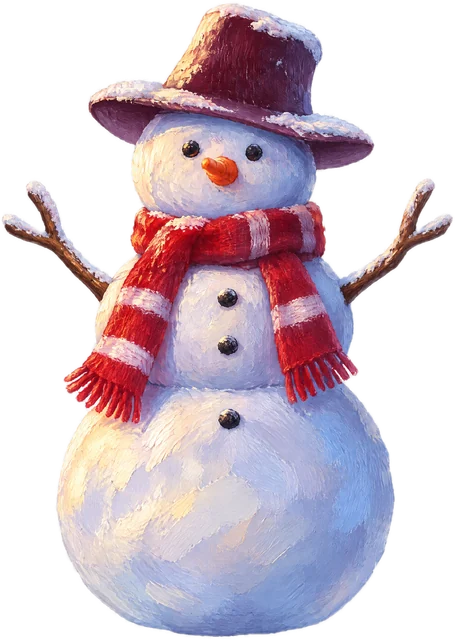
Built ball by ball, by you. Wobbles if you bump him. Stands proudly on any window you choose.
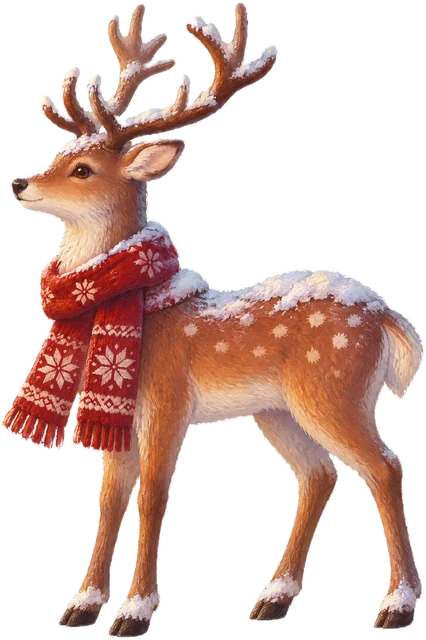
Shy, curious and very fond of the snow along your Dock. Comes by for a visit, then goes on its way.

Shows up when the snow gets deep, beacon blinking, and shoves every drift off the edge. Then waves goodbye.
Included
Hand-painted winter scenes in full 4K. Pick one in the Tiny Winter window and it's on every display, or let it choose a new one each morning.












Tiny Winter for your Mac
€9.99once.
No subscription, no account. Buy it once and it snows every winter.
No. The snow is drawn on a transparent layer that lets every click straight through. You can turn it down, pause it or switch it off from the ❄︎ menu at any time, and full-screen apps stay snow-free.
None. Tiny Winter only reads the size and position of your windows so the snow knows where to land. It never looks at what's in them: no screen recording, no accessibility access.
It's built to be light. It runs at 30 frames a second when the snow is calm and only goes to 60 while something is moving. Drifts are only redrawn when they change, and Low Power Mode halves the snowfall. There's a Quality setting if you want it even lighter.
Hold ⌥ Option and sweep your cursor through a drift. A snowball starts rolling and grows as it picks up snow. Let go to set it down, and stack three for a snowman with a hat and scarf. Or pick “Build a Snowman” from the menu and watch one drop into place.
Right after checkout you land on a thank-you page with a download button and an Unlock button. Download the app, open it, then click Unlock and it unlocks straight away. No account, no typing. Your key is also on your order page (linked in your receipt email): copy it and Tiny Winter's welcome window picks it up from the clipboard.
Yes, on up to three of your own Macs. To move it, choose “Move to another Mac…” in the Tiny Winter window to free up a spot.
Sign in to your order page with the email you bought with (we email you a code, no password). Your key is there, and you can free up a Mac you no longer use.
It stays put. Each desktop keeps its own drifts, and windows on other Spaces keep their snow for when you come back.